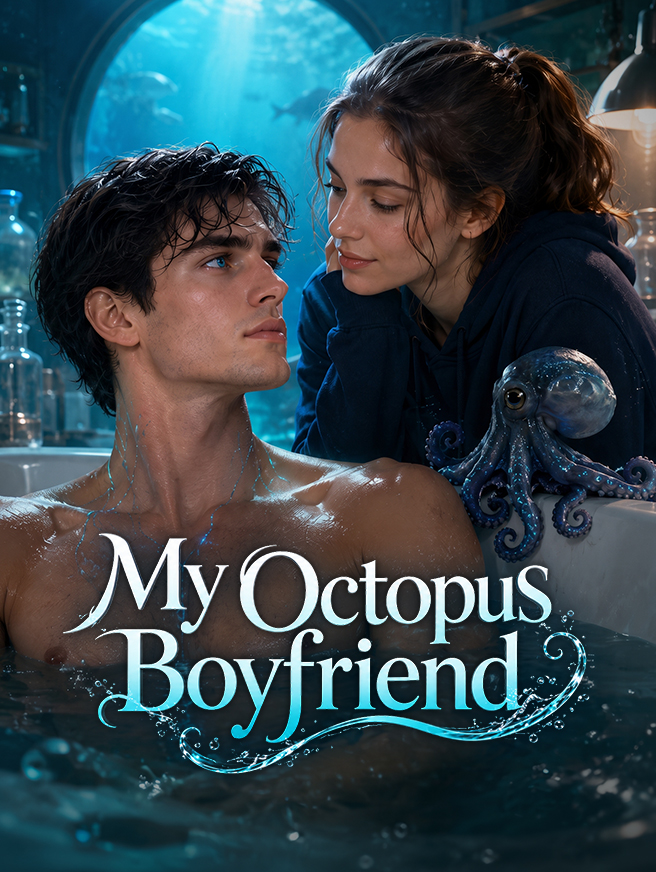
Marine biology student Mia reels in a giant octopus, only to find it transformed into a naked, handsome man. The Deep-Sea Lord must touch her daily to keep his human form. From bathtub cohabitation to ocean treasure hunts and deadly chases, they go from research subject and scientist to true lovers.
My Octopus Boyfriend ist ein vertikales (9:16) Kurzdrama mit 33 Folgen. Sieh jede Folge kostenlos auf AnyDrama — ohne App, direkt im Browser.
Wir veröffentlichen jeden Tag neue Dramas und Folgen auf Telegram. Tritt dem Kanal bei und sieh sie vor allen anderen.
Auf Telegram beitreten · @anydramatvSieh My Octopus Boyfriend kostenlos auf AnyDrama — 33 Folgen von StardustTV. Neue Folgen bleiben synchron; starte oben mit Folge 1.
Jede Folge von My Octopus Boyfriend läuft kostenlos auf AnyDrama — direkt im Browser, ohne App-Installation. Wenn eine Folge endet, startet die nächste automatisch.
Marine biology student Mia reels in a giant octopus, only to find it transformed into a naked, handsome man. The Deep-Sea Lord must touch her daily to keep his human form. From bathtub cohabitation to ocean treasure hunts and deadly chases, they go from research subject and scientist to true lovers.
My Octopus Boyfriend hat 33 Folgen, jede nur wenige Minuten im vertikalen Kurzdrama-Format.
My Octopus Boyfriend hat 33 Folgen von je etwa einer bis drei Minuten, du kannst die ganze Serie also in rund 33–99 Minuten schauen.
Ja — alle 33 Folgen von My Octopus Boyfriend sind komplett kostenlos, ohne Konto und ohne Abo.
My Octopus Boyfriend stammt von StardustTV. Auf AnyDrama schaust du die 33 Folgen kostenlos im Browser — ohne die StardustTV-App und ohne Anmeldung.
Ja — AnyDrama merkt sich auf diesem Gerät die Folge und die Stelle, an der du aufgehört hast, sodass du am Handy starten und später weitersehen kannst. Du kannst My Octopus Boyfriend auch zu deiner Liste hinzufügen.
Vertikale Kurzdramen sind fürs Handy gemacht: ein bis drei Minuten pro Folge, eine einzige Szene und ein Cliffhanger am Ende. Die 33 Folgen von My Octopus Boyfriend ergeben zusammen etwa die Länge eines Films.
Lade die Seite neu und versuche es erneut; wenn es weiter hakt, wechsle die Verbindung (WLAN ↔ mobile Daten) oder leere den Browser-Cache. Läuft eine Folge immer noch nicht, sende Titel und Folgennummer über unsere Kontaktseite.
Mit der Untertitel-Schaltfläche in der unteren Leiste des Players schaltest du Untertitel ein oder aus und änderst ihre Größe; deine Wahl gilt auch für spätere Folgen.